
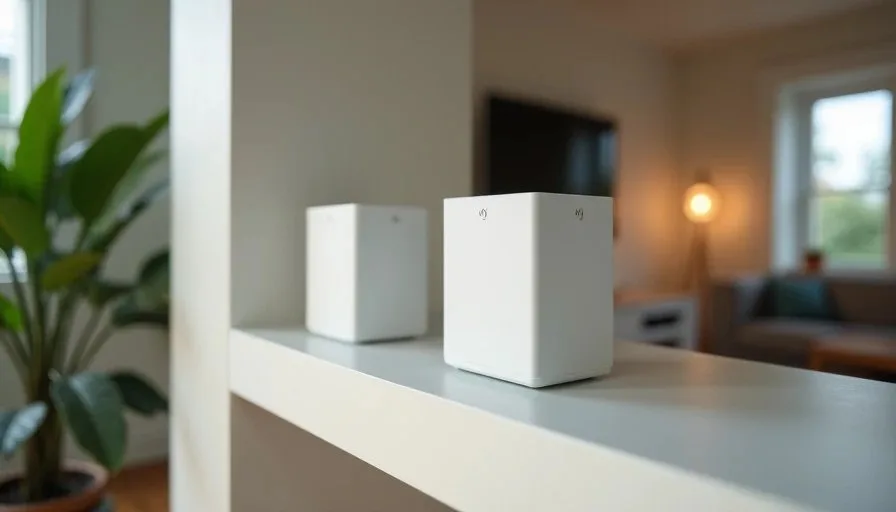
I spent thirty days running our entire home network on a three-node mesh system. The goal was not to produce a laboratory benchmark. The goal was to live with the system the way a normal family would: school mornings, evening video calls, weekend streaming, and the occasional power flicker. I wanted to know what actually changed in daily life, what new maintenance appeared, and whether the coverage gains justified the extra hardware.
Our house is a typical two-story suburban home in the Rochester area. Roughly 2,100 square feet, mixed drywall and some older plaster, a finished basement, and a backyard we use for much of the year. Before the test we used a single strong router on the main floor plus one wired access point upstairs. Coverage was acceptable in most rooms but weak in the far corner of the second floor and inconsistent on the patio.
The mesh system replaced that setup for a full month. I kept notes on performance, reliability, and the small frictions that only show up after the novelty wears off. Here is what I learned.
Week 1: Immediate Coverage Gains and Early Adjustments
The first improvement was obvious. The weak corner of Miles’s room and the patio table both moved from marginal to usable. Video calls that previously required sitting near a window became possible from the couch. The kids could move between floors without their tablets dropping the connection mid-stream.
Placement mattered immediately. The primary node sat near the modem in a central closet. The second node went upstairs in the hallway. The third node was placed on the main floor toward the back of the house to help the patio. Wireless backhaul worked, but I noticed the upstairs node performed better once I moved it a few feet away from a large mirror and a metal filing cabinet.
The management app was straightforward for basic tasks. Device lists, speed tests, and simple parental controls were easy to find. The system automatically steered devices between bands and nodes most of the time.
By the end of the first week the coverage map looked cleaner than our previous setup. That part of the promise held.

Week 2: Real Usage Patterns Appear
The second week revealed how the system behaved under normal family load.
Mornings with two video-school sessions and one work call produced no obvious slowdowns. Evening streaming in two rooms plus a cloud backup running in the background also stayed stable. The mesh handled simultaneous use better than our old single-router-plus-access-point arrangement in the previously weak zones.
One limitation became clear: the wireless backhaul between nodes was good enough for ordinary traffic but not invisible. When I ran a large file transfer from a computer on the upstairs node while someone streamed 4K downstairs, both activities slowed more than they did on the wired access point we had used before. The difference was noticeable only during heavy simultaneous use, but it existed.
I also began to see the first maintenance signals. After a brief power blip one evening, one node came back online in a different channel and needed a few minutes to re-optimize. The app notified me. The network recovered without manual intervention, yet the notification itself became a small new item on the mental list.
Week 3: Reliability and Edge Cases
By the third week the system had settled into a routine. Most days required zero attention. That is the ideal outcome.
A few edge cases still appeared. One smart plug on the far side of the basement occasionally dropped and reconnected. A laptop that preferred the 5 GHz band sometimes clung to a distant node instead of the closer one, producing higher latency until I walked it closer to force a roam. These were minor and infrequent, but they reminded me that mesh roaming is still imperfect.
Outdoor performance remained the biggest win. The patio table, which had been borderline, became reliable for email and light video calls. That single change mattered more to us than the indoor improvements because it expanded the usable space of the house during good weather.
I also tested what happened when I unplugged the upstairs node. Coverage collapsed in the expected rooms within seconds. The system did not gracefully absorb the loss the way a wired access point sometimes can. Mesh nodes are interdependent in a way that a primary router plus independent access points are not.

Week 4: Maintenance Load and Final Verdict
The fourth week was about living with the system rather than testing it.
Firmware updates arrived once. The process was automatic and required a short reboot of all nodes. Everything came back cleanly. I appreciated the hands-off approach, yet I also noted that three devices now needed to stay powered and updated instead of two.
The app continued to send occasional notifications about optimization or new devices joining. Most were harmless. Over time they became background noise that I started ignoring—an early sign that the system was generating more information than a busy household needs.
At the end of thirty days I returned the house to our previous hybrid setup for comparison. The difference in the weak indoor corner was real but not dramatic. The patio difference was larger. The daily mental load was lower with fewer devices to power and fewer app notifications.
My conclusion after the full month:
Mesh delivered clear coverage gains in the previously weak spots and especially outdoors.
Wireless backhaul introduced a small performance cost during heavy simultaneous use.
Maintenance and complexity rose modestly but noticeably.
For our specific house and usage, a strong primary router plus one carefully placed wired access point still offered a better balance of reliability and simplicity.
Other families with larger homes, denser walls, or no easy Ethernet runs would likely reach a different conclusion. The mesh system did what it claimed. The question is whether the gains justify the extra hardware and attention in your particular house.
Practical Lessons for Anyone Considering Mesh
A few takeaways from the thirty days that apply beyond our specific hardware:
Map your dead zones before you buy. Mesh is most valuable when the weak areas are spread across floors or separated by distance.
Prioritize wired backhaul if you can. Even one Ethernet run between nodes improves consistency.
Place nodes for coverage, not symmetry. A node in the right spot beats a perfectly triangular layout that leaves a room weak.
Live with the system for at least two weeks before deciding. The first days feel magical; the later days reveal maintenance and edge cases.
Count the power outlets and the apps. Every additional node is another device that can need a reboot and another potential notification source.
Mesh systems solve real problems. They also introduce their own small costs. The only way to know which side of the ledger is heavier in your home is to measure the actual dead zones, run a realistic trial if possible, and decide based on daily life rather than peak specification numbers.
Thirty days was long enough to see both the benefits and the ongoing texture of living with mesh. For some households the coverage improvement will be worth every extra node. For others the simpler hybrid approach will still feel like the more stable choice.
Stability First.