
Most smart-home devices start with enthusiasm and end up in a drawer or ignored in an app. The ones that survive are rarely the most advanced. They are the ones that solve a small, repeated problem so quietly that you stop noticing them—until they are gone.
In our house we have tested more automations than we keep. Some required too much maintenance. Others created new failure points. A few simply did not match how a family with two adults and two children actually moves through the day. After several years, three automations remain in daily use. They are not flashy. They are reliable, easy to understand, and still worth the small amount of setup they required.
This post describes those three automations, why they continue to earn their place, and the practical lessons that apply to any household trying to keep smart-home complexity under control.
What Makes an Automation Worth Keeping
Before listing the three, it helps to name the filter we use. An automation stays if it meets most of these tests:
It removes a friction point that happens multiple times per week.
It works without daily intervention or app babysitting.
It continues to function when the internet is slow or temporarily unavailable.
Any adult in the house can understand and override it.
It has not created new problems that outweigh the benefit.
Many automations fail one or more of these tests after the novelty wears off. The three below have passed for us over a long period.
Automation 1: Entryway and Hallway Lighting on Presence
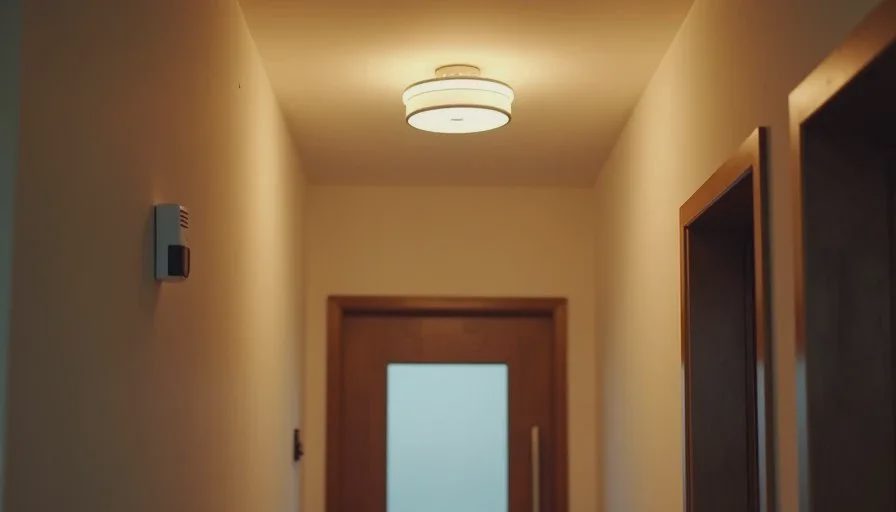
The most-used automation in our house is also the simplest. Motion or presence sensors turn on the entryway and main hallway lights when someone comes in, and turn them off after a period of no activity.
Why it matters daily
Hands are often full—grocery bags, backpacks, a child, a sports bag. Reaching for a light switch is awkward and frequently forgotten. The reverse problem is equally common: lights left on in empty hallways. The automation solves both without requiring anyone to issue a voice command or open an app.
How it is set up
We use basic presence or motion sensing with a timeout long enough that lights do not extinguish while someone is still putting on shoes or unloading items. The devices are chosen for local control so a temporary internet issue does not leave the entry dark.
What we learned
Sensitivity and timeout require a short period of adjustment. Too short a timeout and the lights go out while you are still in the space. Too long and the energy-saving benefit shrinks. Once tuned, the automation becomes invisible. Guests notice that the lights “just work.” Family members stop thinking about the switches entirely.
This single automation has outlasted more complex lighting scenes that looked impressive in demos but required frequent tweaking.
Automation 2: Auto-Lock with a Reliable Manual Backup
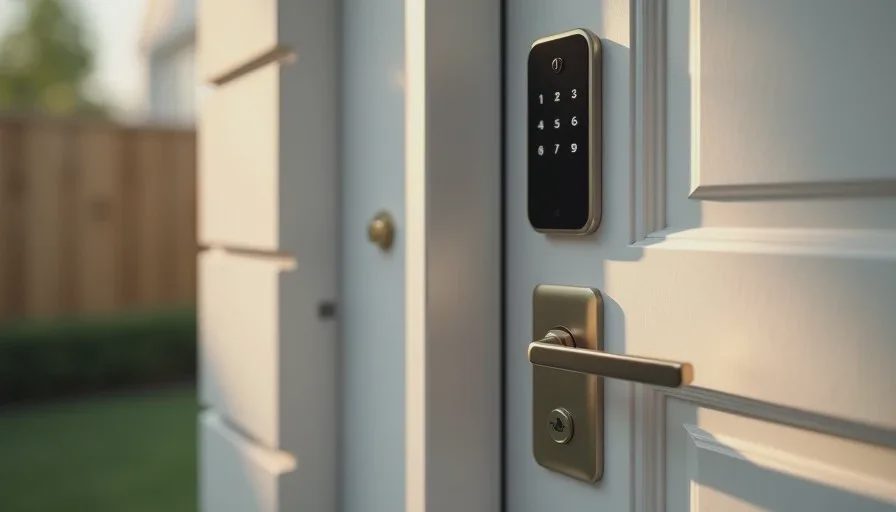
The second daily automation is the front-door lock that secures itself after a short delay or when the last person’s phone leaves the immediate area.
Why it matters daily
The question “Did anyone lock the door?” is a low-level mental tax, especially on busy mornings and evenings. Auto-lock removes the question for ordinary days. It also helps when one adult leaves later than the others and no one is home to secure the house.
How it is set up
The lock auto-secures after a few minutes if left unlocked, and we also use a simple geofence for the final person leaving. Critically, we keep physical keys in known locations and test them periodically. No smart lock stays in our house without a tested manual backup.
What we learned
Geofencing is convenient but not perfect. Phones run out of battery, get left behind, or fail to update location promptly. A timed auto-lock provides a safety net. We also learned to announce the automation to guests and babysitters so no one is surprised by a door that locks itself.
The combination of automatic securing and low-friction manual override has proven more reliable than either approach alone.
Automation 3: Simple Temperature Schedule Matched to Real Life
The third daily automation is a thermostat schedule that follows the household’s actual rhythm rather than an aggressive energy-saving profile.
Why it matters daily
Manual thermostat adjustments happen at the worst times—early morning, return from school or work, bedtime. A schedule that pre-heats or pre-cools the house before those moments removes repeated small decisions and keeps the living spaces comfortable without constant attention.
How it is set up
We use a small number of set points: a comfortable temperature for wake-up, a modest setback while the house is empty, a return-to-comfort period before people come home, and a nighttime setting. The schedule distinguishes weekdays from weekends. We avoid complex “learning” features that make unexplained changes.
What we learned
The biggest improvement came from aligning the schedule with real departure and return times instead of generic defaults. We also keep an easy manual override so anyone can adjust for an unusual day without dismantling the whole schedule. The thermostat has become one of the least-noticed devices in the house, which is the ideal outcome.
What We Stopped Using
For contrast, several automations did not survive long-term use:
Voice-only lighting control that failed when the internet was down or when a child spoke unclearly.
Complex multi-room scenes that required frequent maintenance when one bulb or switch misbehaved.
Presence-based whole-house adjustments that triggered too often or not often enough as phones moved around the property.
Each of these looked useful in isolation. In daily family life they generated more attention than they saved. Removing them simplified the system and improved overall reliability.
Practical Principles That Emerged
Living with these three automations has reinforced a few rules we now apply to any new idea:
Solve a problem that already annoys someone multiple times per week.
Prefer local control for anything related to safety or basic comfort.
Keep the number of controlling apps as low as possible.
Build in a simple manual override that any adult can use.
Re-evaluate after two to four weeks of real use; novelty is not the same as value.
These principles keep the smart home in the background. The automations serve the family; the family does not serve the automations.
A Sustainable Smart Home Is a Small One
It is tempting to keep adding devices and rules. The more sustainable path is the opposite: start with clear friction points, install the minimum that addresses them, and keep only what continues to work without fuss.
In our house the three automations described here run every day with almost no attention. Entry lights respond, the door secures, and the temperature is already reasonable when we need it. That is enough. Everything else is optional.
If you are adding smart-home features, consider beginning with one of these categories. Make it reliable. Live with it long enough to know whether it truly helps. Only then decide whether a second automation is worth the complexity it brings.
Stability First.