
Choosing between mesh WiFi and a single powerful router is one of the most common decisions families face when the internet starts feeling unreliable. The marketing on both sides is loud. Mesh systems promise whole-home coverage with multiple units. Single routers promise higher peak speeds and simpler management. Neither answer is automatically right for every house.
The better question is which option fits the actual shape of your home, the number of devices you run, and how much ongoing attention you are willing to give the network. I have installed and lived with both approaches in my own Rochester house and in many family homes I help. The differences that matter most rarely appear on the specification sheet.
This guide walks through the practical factors that should drive the choice, the situations where each option usually works better, and the questions worth answering before you buy anything.
What Each Option Actually Delivers
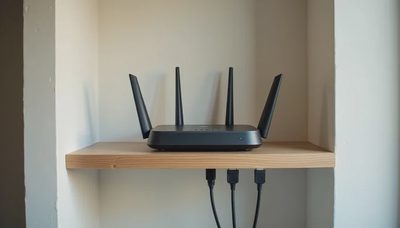
A single powerful router is one device, usually placed in a central location. Modern units support the latest WiFi standards, strong processing power, and multiple frequency bands. Coverage depends heavily on placement, house construction, and distance. In an open single-story layout the results can be excellent. In a two-story home with dense walls the signal often weakens upstairs or at the far ends of the house.
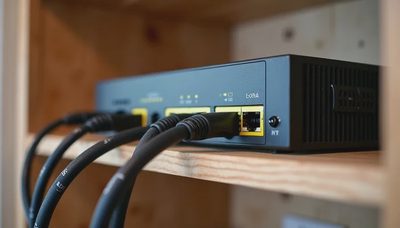
A mesh system uses two or more units that work together. One unit connects to the modem; the others extend coverage. The system aims to hand devices smoothly from one unit to another as people move through the house. Good mesh setups reduce dead zones, but they also introduce more hardware, more power outlets, and another layer of software to keep updated.
Neither approach is magic. Both can fail if the units are poorly placed or if the home has heavy interference. The decision is less about which technology is newer and more about which set of trade-offs fits your household.
House Layout Comes First
Layout is the single biggest factor I look at when advising families.
In a compact single-story home or an open-concept main floor, a well-placed single router often covers everything the family needs. The signal has fewer walls to penetrate and shorter distances to travel. Adding mesh nodes in that situation can create unnecessary complexity without meaningful gains.
In a typical two-story American colonial or split-level home the story changes. The second floor, finished basement, or rooms on the opposite end of the house frequently sit outside the reliable range of a single unit. Thick plaster, brick chimneys, or metal ductwork make the problem worse. Here a mesh system or a hybrid approach (one strong router plus one or two carefully placed access points) usually delivers more consistent results.
Outdoor spaces matter too. If the family regularly uses a patio, deck, or backyard for work calls or kids’ devices, coverage needs extend beyond the walls. A single indoor router rarely handles that well. Mesh nodes placed near exterior walls or a dedicated outdoor access point become more relevant.
Before choosing, walk the house with a simple signal test (the process described in the previous post). The map you create will show whether the weak spots are few and clustered or spread across multiple floors.
Device Count and Usage Patterns
The number and type of devices influence which system stays reliable under load.
A household with two phones, two tablets, a couple of laptops, and a smart TV can often run comfortably on a strong single router. The device count is modest and the traffic patterns are predictable.
A household with four people, multiple work-from-home setups, gaming consoles, smart speakers, cameras, and a growing collection of IoT devices puts more simultaneous demand on the network. Mesh systems with solid backhaul (especially wired backhaul) tend to handle that load more gracefully because the traffic is distributed.
How the family uses the network also matters. Heavy simultaneous video calls, 4K streaming in different rooms, and large file uploads create different pressure than casual browsing. If several people regularly work or study online at the same time, the system needs enough capacity and intelligent band steering to keep everyone stable.
I have seen single routers perform well in high-device homes when the placement is excellent and the unit has strong processing power. I have also seen mesh systems struggle when the nodes are too far apart or forced to use weak wireless backhaul. Device count alone does not decide the winner, but it raises the cost of a poor choice.
Maintenance and Complexity
This is the factor many product pages ignore.
A single router means one device to power, one interface to learn, and one set of firmware updates. When something goes wrong, the troubleshooting path is usually shorter. For families that already feel stretched, that simplicity has real value.
A mesh system multiplies the hardware. Each node needs power and occasional attention. The management app may be polished, but it is still another app. Firmware updates can sometimes require all units to reboot. If one node develops a problem, diagnosing which unit is at fault takes extra steps.
In my own house we ran a three-node mesh for a full year. Coverage improved. Maintenance also increased. Every few months one node would need a manual reboot after a power flicker. The app notifications became background noise. We eventually simplified to a strong primary router plus one wired access point upstairs. Coverage remained good and the weekly mental load dropped.
If no one in the household wants to be the network caretaker, lean toward the simpler architecture that still meets your coverage needs.

Cost and Future Flexibility
Upfront price is easy to compare. Long-term cost is harder.
A capable single router often costs less than a multi-node mesh kit. However, if that single router leaves two rooms unusable, the family will eventually spend more to fix the gaps. A modest mesh system that solves the actual dead zones can be the lower total cost.
Flexibility also differs. Many mesh systems allow you to add nodes later. That is useful if the family grows, finishes a basement, or starts using outdoor spaces more heavily. Some single-router setups can be expanded with compatible access points, but the ecosystem is usually less seamless.
Wired backhaul changes the equation for both approaches. If you can run Ethernet to a second location, a single router plus a wired access point often delivers mesh-like coverage with less wireless complexity. That hybrid path is worth exploring before committing to an all-wireless mesh.
A Practical Decision Framework
Here is the sequence I recommend families follow:
Map the current dead zones with a simple walk-around test.
Note the rooms and outdoor spots that must work reliably for daily life.
Count the devices that will be online at peak times.
Decide how much ongoing management the household will tolerate.
Check whether any Ethernet runs are already available or easy to add.
If the map shows only one or two weak spots and the house is relatively open, start by relocating the existing router or adding one access point.
If multiple floors or large separated areas are weak, and the family wants one system that manages itself, a mesh kit sized to the mapped needs is usually the cleaner path.
If Ethernet is available to key locations, consider a strong primary router plus wired access points. This often gives the best combination of performance and simplicity.
Avoid buying the largest mesh kit “just in case.” Start with the smallest configuration that covers the documented weak areas. You can expand later if needed.
What We Use and Why
In our current house a single high-performance router sits in a central closet on the main floor. One wired access point covers the second floor. Outdoor coverage is handled by a separate weather-rated unit near the patio door. The setup is not the most advanced on paper. It is stable, easy to understand, and requires almost no attention from week to week.
That combination works for us because we took the time to map the real problems first. Other families with different layouts or higher device density may reach a different conclusion. The right answer is the one that keeps the network reliable without turning the parents into part-time network administrators.
Mesh WiFi and single powerful routers both have a place. The family decision guide is simply this: measure the house, respect the household’s tolerance for complexity, and choose the smallest system that solves the actual coverage gaps. Everything else is secondary.
Stability First.